

Hostnames Page#
Hostnames are entities that are not created by the ICE ClusterWare ™ platform, but that the platform should be aware of. A hostname could be a file server, database server, network gateway, or other system that interacts with one or more ClusterWare nodes.
Use the Hostnames page to create a DNS record for the external entity. DNS records can be either A records or SRV records. The page is available via Network > Hostnames in the left navigation panel.
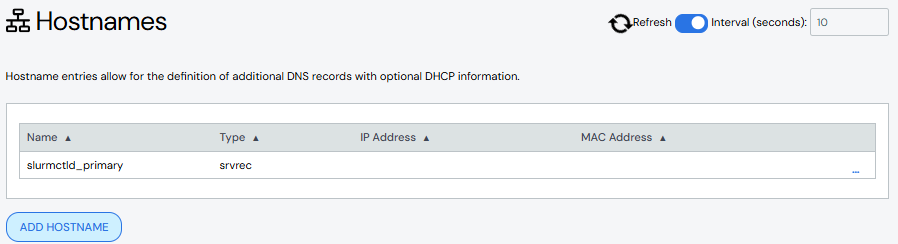
Create a Hostname#
To create a hostname with a DNS A Record:
Click Add A Record.
Add details about the hostname.
Name: Required. Names must start with an alphabet character, not a number.
Description: Optional.
IP Address: Required. Supports IPv4 addresses.
MAC Address: Optional.
Click Add A Record to save your changes. The new hostname appears in the A Record table.
To create a hostname with a DNS SRV Record:
Click Add SRV Record.
Add details about the hostname.
Name: Required.
Description: Optional.
Weight: Optional.
Domain: Optional.
Priority: Optional.
Port: Required.
Proto: Optional.
Service: Optional.
Target: Required.
Click Add SRV Record to save your changes. The new hostname appears in the SRV Record table.
Edit Hostname#
To edit either an A record or a SRV record hostname:
Click the hostname name to open the details for the A record or SRV record, then click Edit A Record or Edit SRV Record. Alternatively, click the More menu
 on the far right of the row and select the
Edit action.
on the far right of the row and select the
Edit action.The Edit A Record or Edit SRV Record pane populates with the hostname details.
Make updates to the hostname.
Click Save to modify the hostname.
Delete Hostname#
To delete a hostname, click the More menu on the far right of the
row and select the Delete action.