

Client Packages Page#
The ClusterWareAI ™ head nodes host packages that are used during compute node installation and provisioning. A set of packages are available on all head nodes by default.
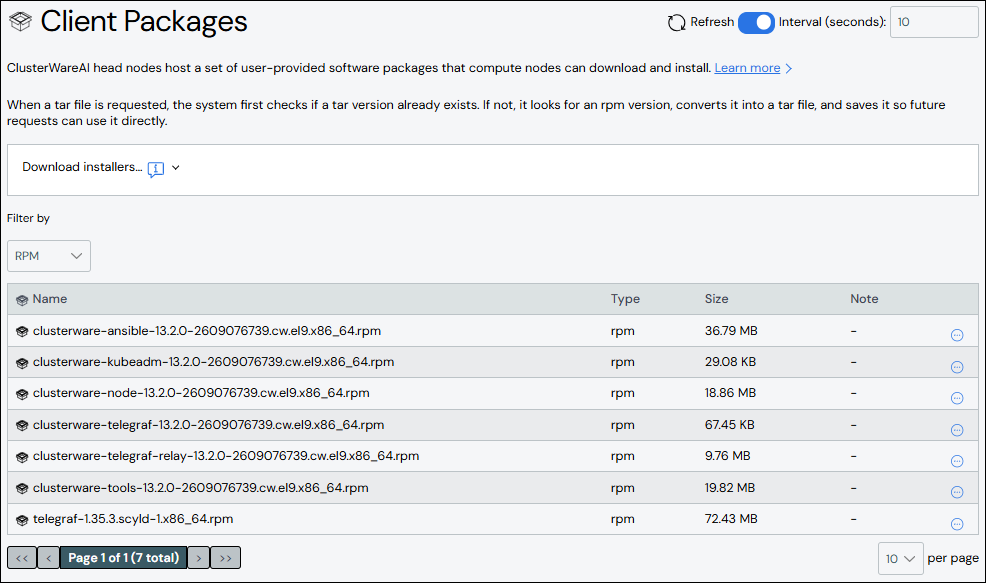
Use the Client Packages page to download software package files to the local system. The page is available via Provisioning + SW > Client Packages in the left navigation panel.
Download Installer#
Expand the Download installers section at the top of the page to download pre-installer or installer files.
Copy and run the command or click the Download Preinstaller button to download and run the pre-installer script. The script runs tests to determine the CPU architecture, base OS, and packaging system. It then creates an installer specific to the system requirements. See Pre-Installer Script for details.
If you know the CPU architecture, OS, and package type needed on your target system, select those options from the drop-down lists and click the Download button to download the appropriate installer.
Find Package#
Use the Filter by drop-down list to show all or a subset of files. Default files include:
Installer and pre-installer files: Installer files are used to install via DEB, TAR, or RPM when compute node details are known. Pre-installer files are used to determine information about compute nodes.
DEB, RPM, and TAR files: Used to install various packages, including
clusterware-node,clusterware-tools,clusterware-ansible, and so on.
Note
Files with "automated rpm-to-tar conversion" in the Note column are RPM files that will be converted to TAR files upon download. See TAR Installations for details.
Download Package#
Click the More menu  on the far right of the package row and select
the Download action. The file downloads to the local system.
on the far right of the package row and select
the Download action. The file downloads to the local system.