

AI Factory Operations Agent#
The AI Factory Operations Agent is available in the ClusterWareAI ™ GUI and uses a locally available version of Llama 3.2 3B to query the ClusterWareAI backend and answer basic questions about your cluster. For example, you can ask it to provide a list of nodes that are down or to tell you what images are available. The AI Factory Operations Agent cannot make changes to your cluster and does not look for answers online. Only Full Admin users can interact with the AI Factory Operations Agent by default.
Note
Some configuration is required before you begin using the AI Factory Operations Agent. See Configure LLM Server for the AI Factory Operations Agent for details.
Access the AI Factory Operations Agent using the  icon on the lower right corner of
many ClusterWareAI GUI pages. The AI Factory Operations Agent page opens in a
new tab.
icon on the lower right corner of
many ClusterWareAI GUI pages. The AI Factory Operations Agent page opens in a
new tab.
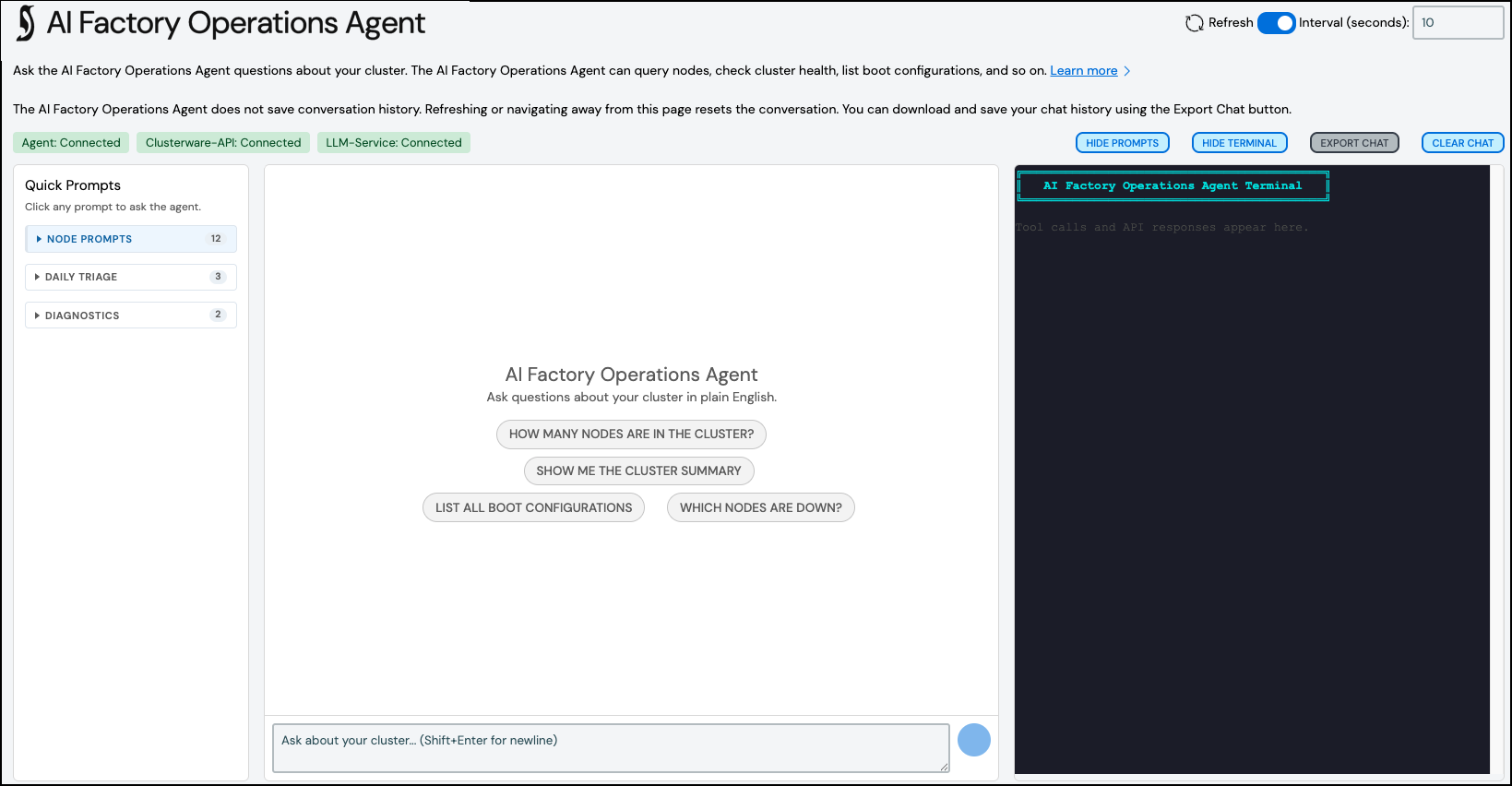
The AI Factory Operations Agent page has status indicators at the top of the page for the LLM service, LLM model, and ClusterWareAI API. All three need to be available for the AI Factory Operations Agent to answer questions and provide information about the cluster. A list of common prompts are available in the main chat panel and in the Quick Prompts panel on the left. Clicking one of the prompts pre-populates the chat with the query. The Terminal panel on the right shows the interaction with the ClusterWareAI backend and can be used to help troubleshoot issues. Both the Quick Prompts and Terminal panels can be hidden.
Your session with the AI Factory Operations Agent resets when you navigate away from the page. Use the Export Chat button at the top of the page to export your conversation history if you need to refer to previous answers.